

Ecowitt WS90 + Gateway vs Ambient WS-1965: Which Home Assistant Weather Setup Fits?
This comparison is an Ecowitt WS90 outdoor sensor plus a compatible gateway — commonly a GW2000/GW2001 or GW3000 path — versus the Ambient Weather WS-1965 packaged station with a color LCD console. It uses manufacturer documentation and product architecture, not lab testing or hands-on testing.

Affiliate disclosure:As an Amazon Associate I earn from qualifying purchases. Editorial content is based on documented specifications and compatibility — not sponsored reviews.
For a Home Assistant buyer, Ecowitt WS90 plus a compatible gateway is the better fit when you want to choose the gateway and use a documented local-data path. Ambient WS-1965 is the better fit when you want one packaged station with a color console and Ambient Weather Network, and you do not need a documented Home Assistant or local-data path. Basic outdoor readings can come from either setup. There is no universal winner.
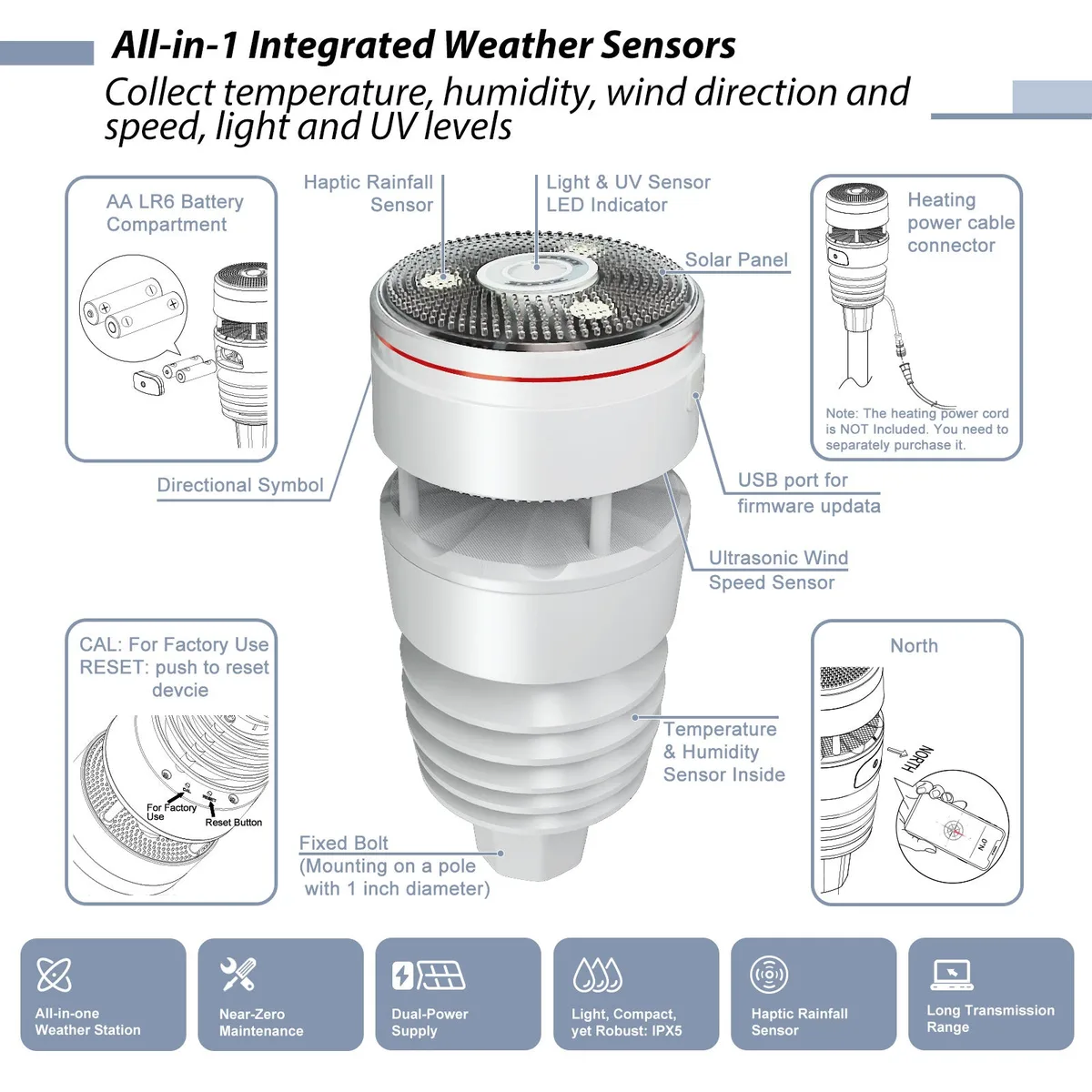
Ecowitt WS90 7-in-1 Outdoor Sensor
The Ecowitt WS90 is a solid-state outdoor weather sensor that measures temperature, humidity, wind speed and direction, rainfall, UV, and light (solar intensity). It has no moving wind cups and uses a haptic/piezoelectric rain sensor instead of a tipping-bucket gauge. The WS90 cannot work alone — it must pair with a compatible Ecowitt gateway or console for display, Wi-Fi/Ethernet, app access, and smart-home use. If you already own an Ecowitt gateway, buy the sensor-only listing; if you are starting from scratch, the GW2001 bundle includes the WS90 plus a GW2000 gateway.
Ambient Weather WS-1965
The Ambient Weather WS-1965 is a complete home weather station: one all-in-one outdoor sensor array plus a color LCD console. The array measures outdoor temperature, humidity, wind, and rainfall and sends them over 915 MHz. The console shows those readings, indoor temperature and humidity, and barometric pressure, and it can publish to the Ambient Weather Network over 2.4 GHz Wi-Fi. It is a simpler packaged Ambient path than a modular Ecowitt sensor-plus-gateway stack. It is less expandable than a gateway-led system, and it is not the separated-sensor WS-5000.
Side-by-side differences
Factual comparison from documented specifications — not independent testing.
What each setup includes
Ecowitt’s side of this comparison is a sensor plus a gateway choice. The WS90 measures outdoor conditions and sends them by radio to a compatible Ecowitt gateway or console. It is not a standalone station. Buyers starting from scratch often look at a GW2001 bundle (WS90 plus GW2000) or pair the sensor with a GW3000. Ambient WS-1965 is one purchase: an all-in-one outdoor array and a color LCD console. Confirm the current listing so a sensor-only Ecowitt price is not compared with a complete Ambient station price.
You choose the gateway and can add sensors later without replacing the outdoor array.
One station purchase includes the outdoor array and the color console.
Home Assistant and local-data fit
Home Assistant does not talk to the WS90 directly. The sensor has no Wi-Fi, Ethernet, or local API. A compatible gateway such as GW2000 or GW3000 is what documents local network access and Home Assistant workflows. Pick the gateway before you treat this as a local smart-home setup. Ambient WS-1965 does not document direct Home Assistant, native MQTT, Ethernet, or a local data API. Its Web GUI is for setup and calibration. Remote viewing uses 2.4 GHz Wi-Fi and Ambient Weather Network. For the broader station list, use the Home Assistant guide. This page does not rank either product from lab tests.
A documented local and Home Assistant path exists once a compatible gateway is in the setup.
Simpler if you do not need Home Assistant or a local data path and want console readings plus the Ambient network.
Console, app, and cloud experience
Ambient’s included color LCD is the clearer display: outdoor readings, indoor temperature and humidity, and barometric pressure on the console. Ecowitt display depends on the gateway, an optional console, the app, or another dashboard. Ecowitt cloud access is Ecowitt.net after pairing, and many gateway setups can keep local use with cloud upload left optional. WS-1965 remote access is Ambient Weather Network. The manual also lists IFTTT, Alexa, and Google Assistant. The WS-1965 LCD can show conditions without that cloud connection. Forecast icons on the Ambient console follow barometric trend. They are not official storm warnings.
App and local dashboard options after you choose the gateway, without requiring a packaged console.
A console is in the box, with Ambient Weather Network, IFTTT, Alexa, and Google Assistant documented.
Expansion sensors and garden monitoring
Both setups can grow beyond the base outdoor readings, and neither includes soil moisture or lightning in the base hardware. Ecowitt add-ons such as WH51 soil probes or a WH57 lightning sensor pair through the gateway, not through the WS90 alone. Ambient’s WS-1965 manual documents optional sensors, including soil moisture, lightning, leak, indoor thermo-hygrometers, and particulate monitors, with channel limits. Some add-on data displays on the WS-1965 console; the manual says other channels pass through to AmbientWeather.net or Wunderground. For garden buyers, Ecowitt is the more modular accessory path. WS-1965 still covers temperature, humidity, wind, and tipping rain for ordinary outdoor monitoring. See Sensors & Accessories for add-on pages already on Atmosiva.
Broader mix-and-match Ecowitt sensors later, including soil and lightning, through the gateway.
Optional Ambient sensors on a station you already bought as a complete console kit.
Limitations
Do not treat the WS90 as Wi-Fi, Ethernet, or Home Assistant hardware. Those features, when documented, belong to the gateway. Do not treat WS-1965 as an Ethernet, local-data, or direct Home Assistant station. The WS-1965 measurement table does not list UV or solar radiation, and the outdoor array is not solar-powered. Wind figures on both products are measurement or operational ranges, not survival or hurricane ratings. Atmosiva has not lab-tested either setup.
You still have to pick a gateway, match the RF region, and budget the hub separately if you buy the sensor alone.
Less flexible for local smart-home use, with mechanical wind cups and a tipping rain gauge to maintain.
Who Should Buy Ecowitt WS90
- •You want modular expansion and may add soil, lightning, indoor, or other sensors later
- •You care which gateway you use, including documented local-data and Ethernet options on GW2000 or GW3000
- •You are comfortable choosing the gateway separately, or a GW2001-style bundle, instead of one console station
- •Home Assistant or local network access is a real requirement, and you will use a compatible Ecowitt gateway for that path
Who Should Buy Ambient Weather
- •You want a packaged station with a color LCD console in one purchase
- •You want Ambient Weather Network, and IFTTT, Alexa, or Google Assistant as documented for this console
- •You do not need direct Home Assistant, Ethernet, or a local data path
- •You prefer a simpler setup over choosing gateways and add-on radios
Final Recommendation
Choose Ecowitt WS90 plus a compatible gateway when modular expansion and a gateway-based local or Home Assistant path matter more than having a console in the first box. Choose Ambient WS-1965 when you want that packaged console station and Ambient Weather Network, and direct Home Assistant or local data is not a requirement. For ordinary home weather readings, either can fit. Neither is the universal winner. The wider Ecowitt versus Ambient station comparison, including WS-5000, is a separate decision.
Related product & hub pages
Related Comparisons
Ecowitt WS90  Ambient Weather
 Ecowitt vs Ambient Weather Stations: Which System Fits Your Setup?
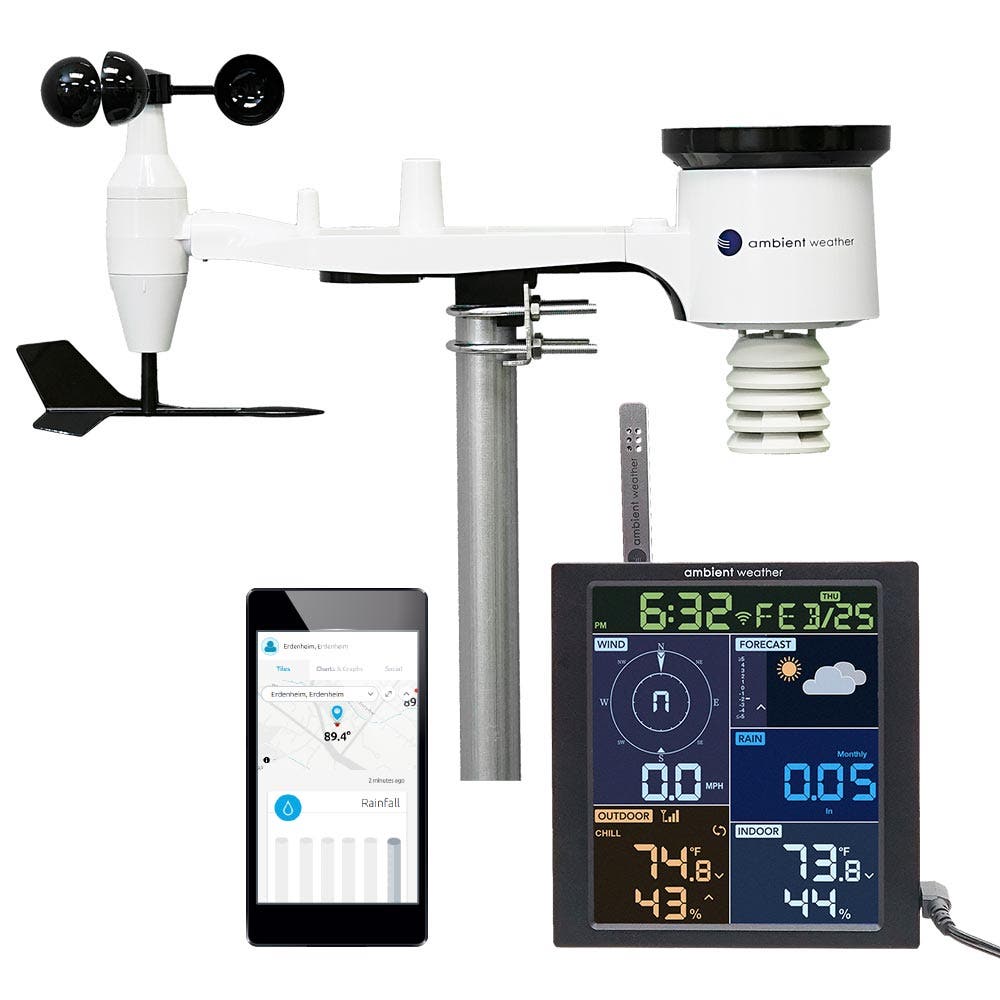
Choose Ecowitt WS90 + a compatible gateway when you want modular expansion, gateway flexibility (including Ethernet on GW2000/GW3000-class hubs), and room to add sensors later. Choose Ambient WS-5000 when you want a more conventional complete station package with an included console, separated outdoor sensors, and a Wi-Fi cloud/app workflow. There is no universal winner — the better fit depends on modular vs console-first priorities.
Ecowitt WS90 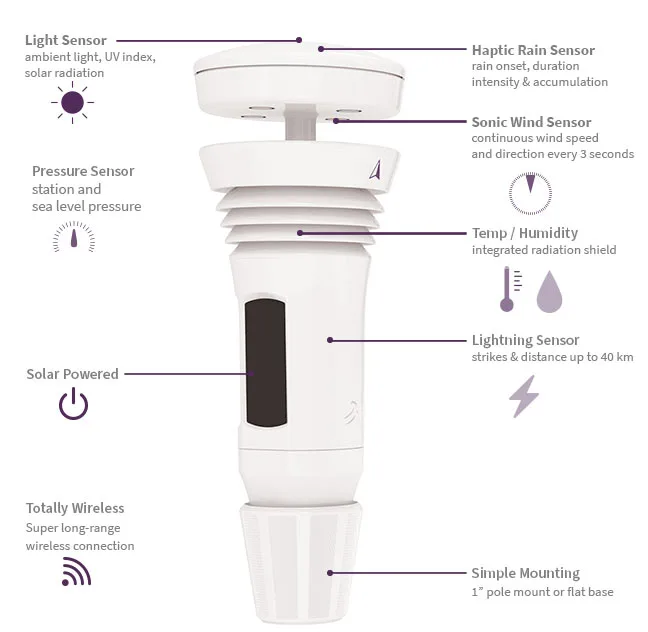 Tempest Weather
 Ecowitt WS90 vs Tempest: Modular Sensor + Gateway vs All-in-One System
Choose WS90 for modular expansion and gateway flexibility; choose Tempest for a simpler complete system with built-in lightning. There is no universal winner — the better fit depends on whether you want an expandable Ecowitt stack or a complete retail Tempest package.
 Ambient Weather Ambient Weather
 Ambient WS-2902 vs WS-5000: Budget All-in-One vs Premium Separated Sensors
Choose WS-2902 for lower cost and simpler setup; choose WS-5000 for separated sensors, ultrasonic wind, and more flexible siting. There is no universal winner — the better Ambient fit depends on whether you want a simpler entry station or a premium separated-sensor package.
Tempest Weather Ambient Weather Tempest vs Ambient WS-5000: Which Weather Station Fits Your Setup?
Choose Tempest for a simpler app-first all-in-one system with built-in lightning and no physical display. Choose Ambient WS-5000 for a console-led station with separated outdoor sensors and Ambient ecosystem expansion paths. There is no universal winner — the better fit depends on app-first simplicity versus console display and expandable Ambient accessories.
Tempest Weather 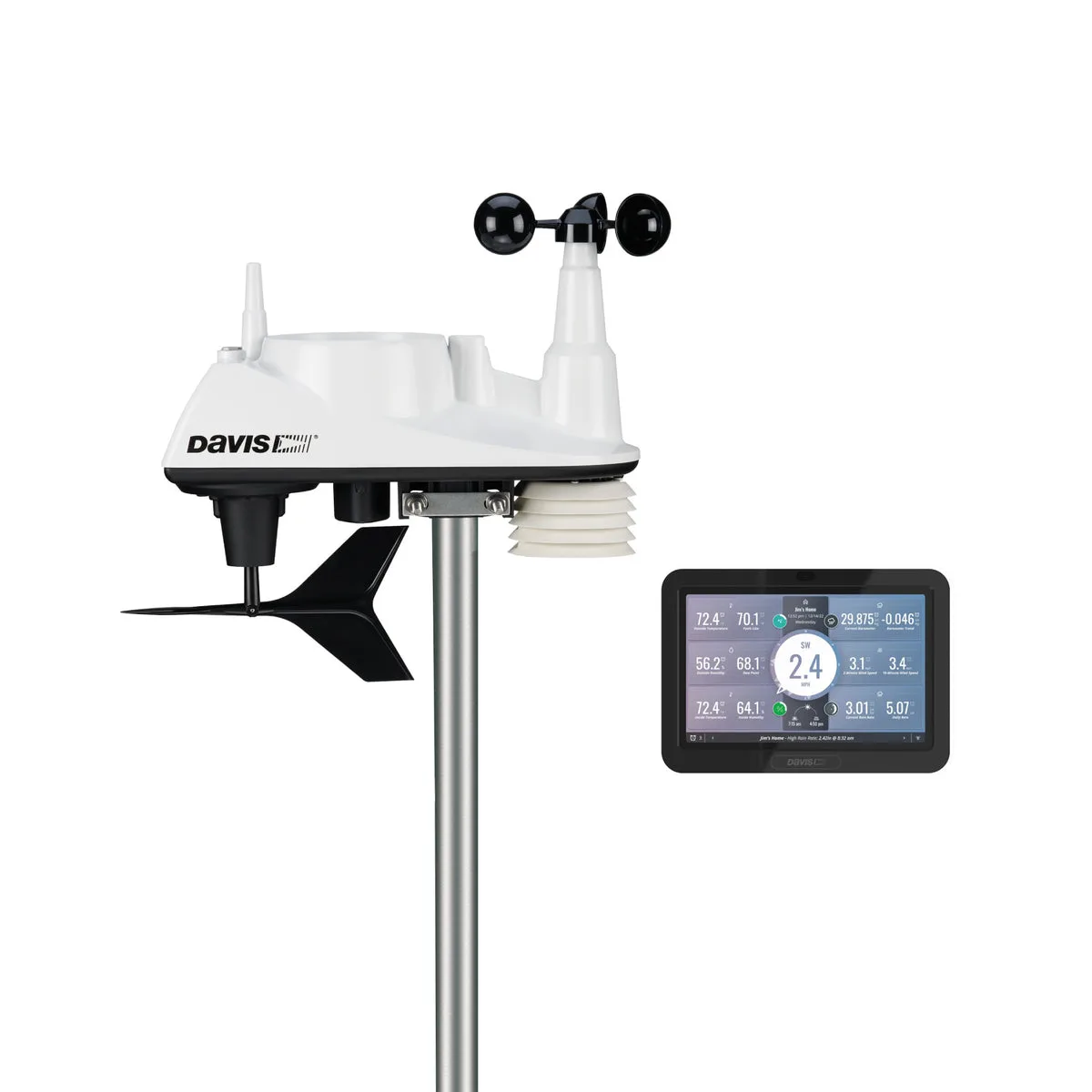 Davis Instruments
 Tempest vs Davis Vantage Vue: App-First Station or Research-Grade Console?
Choose Tempest for an app-first smart all-in-one with built-in lightning and an included Wi-Fi Hub. Choose Davis Vantage Vue 6242 for a more traditional/pro-grade integrated sensor suite with a WeatherLink Console path. There is no universal winner — and Atmosiva does not claim independent lab accuracy testing for either system.
Ecowitt WS90 + Gateway Ambient WS-1965 Ecowitt WS90 vs Ambient WS-1965: Sensor + Gateway Setup or Console Station?
Compare the Ecowitt WS90 sensor plus a compatible gateway path against the packaged Ambient WS-1965 console station for Home Assistant fit, local-data options, expansion sensors, and setup simplicity.