

Quick answer
This guide answers: which weather stations let you access weather data locally on your own network, without depending completely on a vendor cloud.
It is not the same as our Home Assistant buying guide. That page asks what to buy for Home Assistant. Here the focus is local access itself — useful for HA, but also for dashboards, logging, and LAN automations of any kind. Cluster overview: Smart Weather.
Best overall for local data: an Ecowitt gateway setup — GW2001 (WS90 + GW2000) from scratch, or WS90 plus a gateway you already own / GW3000 for larger systems.
Best with Ethernet: GW2000 (in GW2001) or GW3000. Details: Ethernet guide.
Best all-in-one smart system: Tempest — included Wi‑Fi Hub with documented local UDP / WebSocket access.
Best premium / traditional setup: Davis Vantage Vue 6242 — modern WeatherLink Console; strong local LAN workflows are more advanced and may involve WeatherLink Live.
Best for existing Ambient owners: WS-2902 or WS-5000 — cloud-first by default; Custom Server local push is possible but advanced.
Also see: without subscription.
Who this guide is for
- You want readings available on your LAN if the internet drops.
- You care about control, privacy, or faster local automations — not only a mobile cloud app.
- You are comparing local-first kits (Ecowitt, Tempest) with cloud-first consoles that offer optional local paths (Ambient).
Local data is useful for Home Assistant, but this guide focuses on local access itself rather than HA compatibility. For “what should I buy for Home Assistant?”, use the Home Assistant guide.
Why local data matters
Local weather data means your home can use outdoor readings without routing every request through a manufacturer cloud. Buyers usually care because:
- Automations and dashboards can keep working during internet outages (if power and LAN stay up).
- Local consumers often see lower latency than cloud polling.
- You keep more control over where data is stored and who processes it.
- The same LAN path feeds Home Assistant, custom dashboards, or local logging.
“Local data” is not one protocol. Depending on the brand it may mean a gateway LAN API, local HTTP push/pull, UDP broadcast, WebSocket, or a console custom upload to a server on your network. You do not need to learn those names first — you need to know whether the product’s default path is local-first or cloud-first.
Local-first vs cloud-first
Local-first / strong local options
- Ecowitt gateway setups (GW2000 / GW3000 + outdoor sensors)
- Tempest with its included Wi‑Fi Hub
Mixed / advanced local
- Davis Vantage Vue 6242 + WeatherLink ecosystem — console/cloud is common; dedicated local UDP often involves WeatherLink Live
Cloud-first with local options
- Ambient WS-2902 / WS-5000 — AmbientWeather.net is the easy path; Custom Server local push is advanced and firmware-dependent
These are typical buyer patterns, not absolute guarantees for every feature or SKU.
Local options compared
| Product / Setup | Local data method | Internet required for local path? | Ethernet | Gateway required | Setup difficulty | Best for |
|---|---|---|---|---|---|---|
| GW2001 (WS90 + GW2000) | Gateway LAN HTTP / local push | No for core LAN path | Yes (GW2000) | Included | Easier | Start-from-scratch local |
| WS90 + gateway | Via gateway only | No for core LAN path | On gateway | Yes | Easier | Expanding Ecowitt |
| GW3000 | Gateway LAN access | No for core LAN path | Yes | Gateway itself; sensors separate | Intermediate | Larger wired systems |
| Tempest | Hub UDP / WebSocket | No for core local path | Not claimed on retail hub | Hub included | Easier–intermediate | All-in-one smart |
| Davis Vantage Vue 6242 | Mixed; UDP often via WeatherLink Live | Local path can work without cloud | WeatherLink Live when used | Console included; WLL separate if needed | Intermediate–advanced | Premium Davis kit |
| Ambient WS-2902 | Custom Server (advanced) | Not for Custom Server once configured | No (standard console) | Console included | Advanced for local | Existing Ambient owners |
| Ambient WS-5000 | Custom Server (advanced) | Not for Custom Server once configured | No — Wi‑Fi console | Console included | Advanced for local | Premium Ambient console |
Brand overview: Ecowitt vs Ambient.
Ecowitt gateway local access
WS90
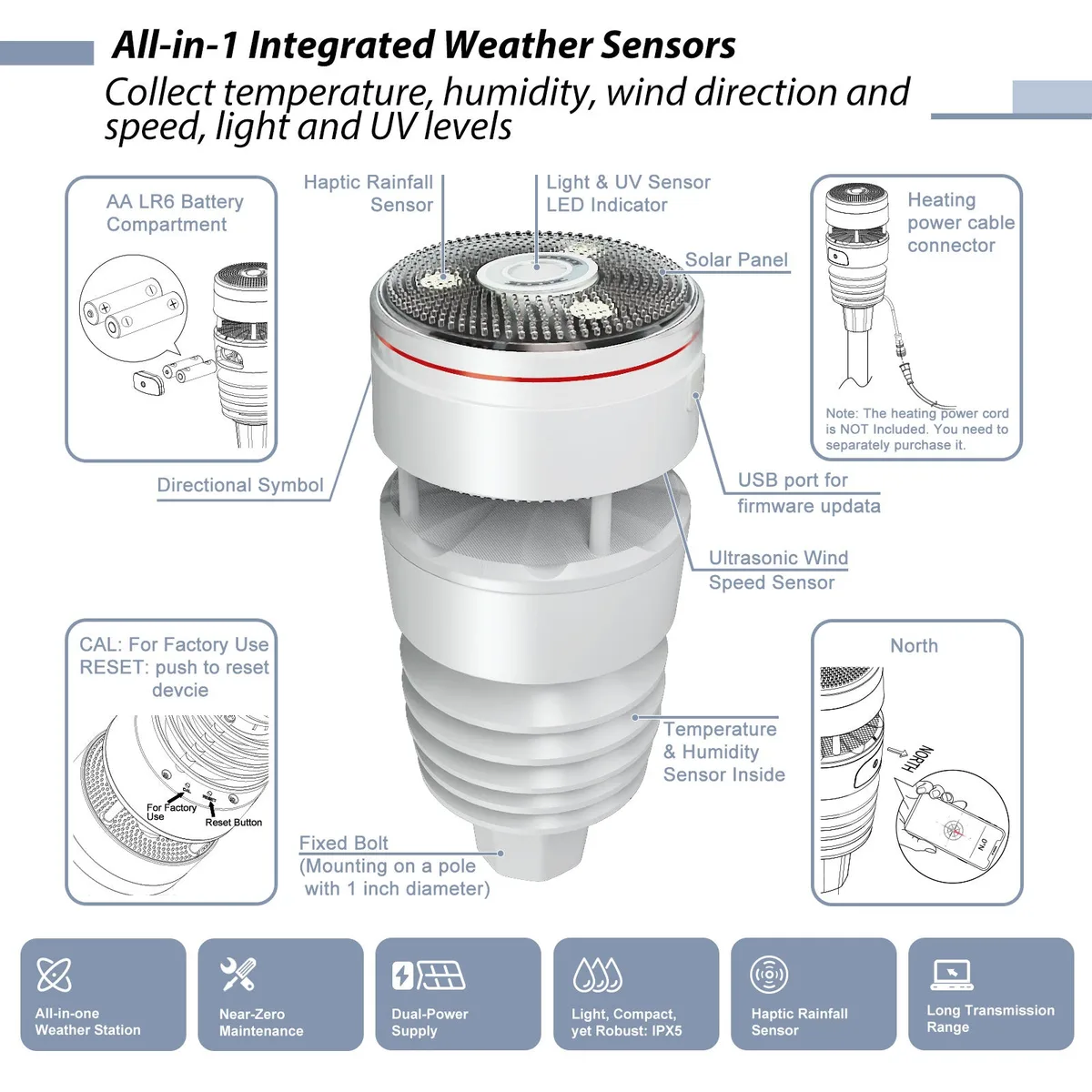
The WS90 is an outdoor sensor. It has no Wi‑Fi, Ethernet, or LAN API. Local network access comes from a compatible Ecowitt gateway or console.
GW2001 (WS90 + GW2000)
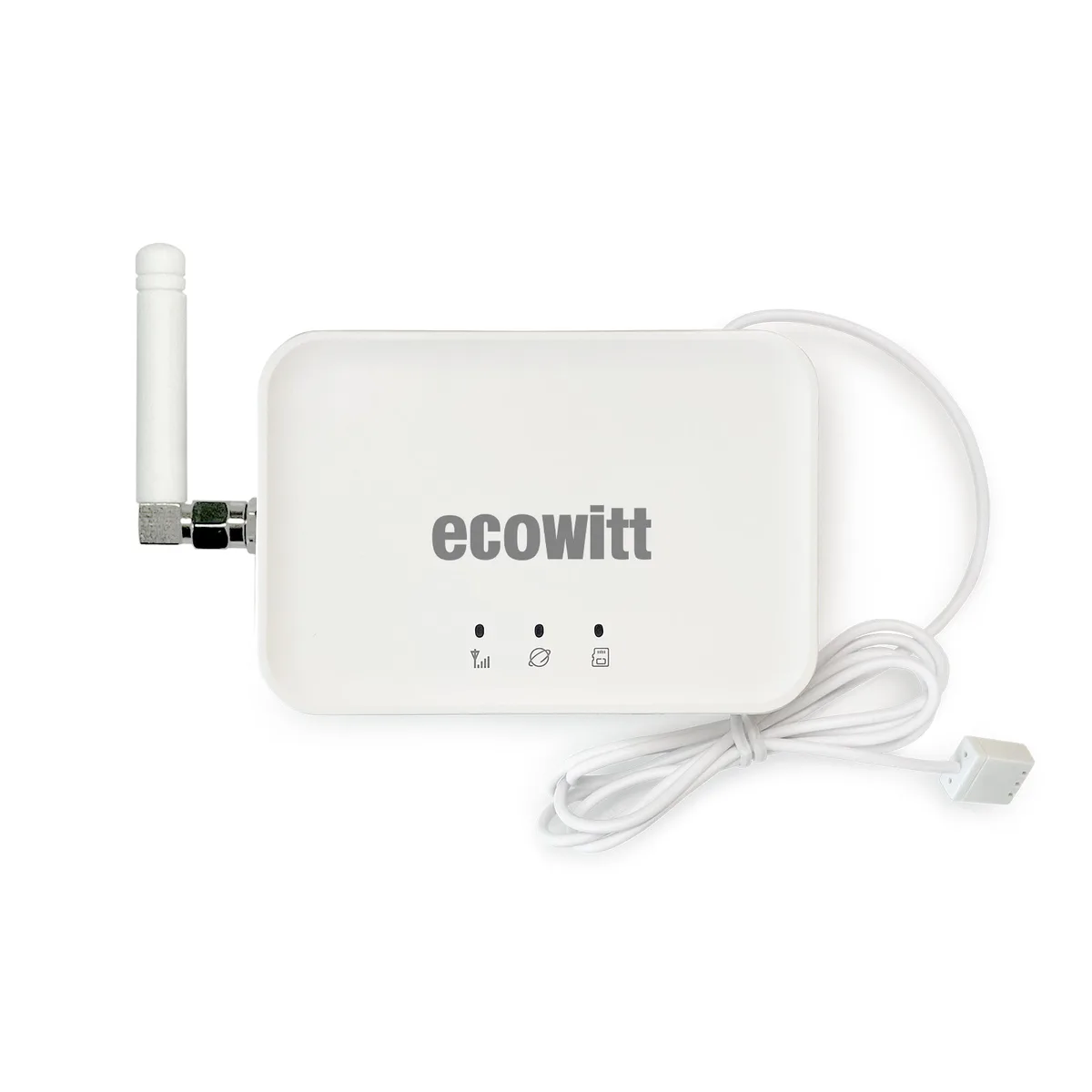
The GW2001 bundle includes the outdoor array and GW2000 gateway. The local data path is the gateway (Wi‑Fi and Ethernet). Strong pick when you want local LAN weather without assembling parts separately.
GW3000
The GW3000 is gateway-only: Wi‑Fi + Ethernet, local network access, outdoor sensors sold separately. Compare hubs: GW2000 vs GW3000.
Deeper (optional): Ecowitt gateways commonly expose local HTTP services used by Home Assistant’s Ecowitt integrations (pull and push patterns). MQTT is not a native requirement for WS90/GW3000 local access.
Tempest local hub
Tempest includes an outdoor unit and a Wi‑Fi Hub. WeatherFlow documents local UDP and WebSocket access for LAN consumers. Core local use does not require a paid subscription. Atmosiva does not advertise Ethernet on the retail hub.
Optional cloud features (app history, remote access, RainCheck-style assists) may still use the internet — that does not cancel the local path for on-LAN consumers.
Davis / WeatherLink local paths
Current focus: Davis Vantage Vue 6242 with the modern WeatherLink Console (not the older classic 6250 package).
Local workflows are more advanced than Ecowitt/Tempest. Many Home Assistant and LAN integrations that need UDP still rely on WeatherLink Live (Wi‑Fi/Ethernet bridge) rather than assuming the console alone is the local API. WeatherLink Cloud remains common for remote/app use. Verify current Davis and integration docs for your setup.
Ambient Weather local options
WS-2902 and WS-5000 are cloud-first for easy remote monitoring (AmbientWeather.net).
Custom Server local push can send readings to a server on your LAN, but it is advanced and firmware/SKU-dependent. Do not treat Ambient as equally local-first as Ecowitt or Tempest — treat it as a console ecosystem with an optional local path.
Networking: standard Ambient consoles (including WS-5000) are Wi‑Fi; Ethernet is not a documented feature of the standard WS-5000 console.
What still may need the cloud
Cloud required: no on a product page does not mean every feature works offline. Separate these layers:
| Layer | Often local? | Often cloud? |
|---|---|---|
| Core sensor → hub on LAN | Yes (Ecowitt gateway, Tempest hub, Custom Server, WLL UDP) | — |
| Vendor mobile app / remote access | Sometimes LAN-only modes | Common |
| Long-term history / fancy charts | Sometimes on-hub / microSD | Common |
| Alerts, sharing, RainCheck-style assists | — | Often optional cloud |
| Firmware updates | — | Usually internet |
Design automations so critical actions use the LAN path you control, and treat cloud apps as optional convenience.
Buyer checklist
- Decide if you need local-first hardware or cloud-first with an optional local path.
- Remember: outdoor sensors like WS90 are not LAN devices — the gateway/hub is.
- Prefer Ethernet only when Wi‑Fi is weak — Ethernet guide.
- Keep VLANs from blocking hub ↔ consumer traffic.
- Prefer subscription-free core paths — no subscription guide.
- Re-check current manufacturer docs before purchase.
FAQs
See frontmatter FAQs above. Local integration details change with firmware and software releases — always cross-check current documentation.